Menu Button
The Menu button is situated on the upper left-hand corner of the Alias Console, with 4 round Action Buttons in the upper right corner.
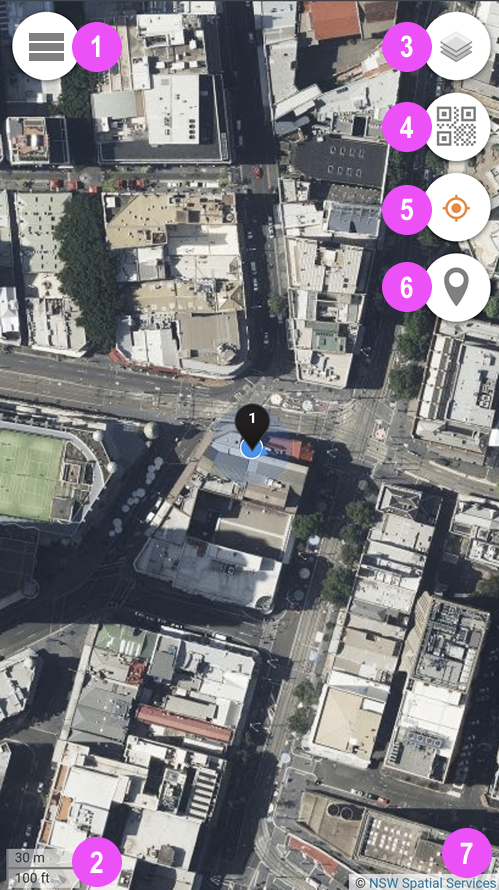
| Minimised Menu | |
|---|---|
| 1 - Menu Button | 2 - Map Scale |
| 3 - Background Map | 4 - Camera Scanner |
| 5 - Current Location | 6 - Location Pins |
| 7 - Map Copyright |
1. Offline Mode
When the Alias Console is running OFFLINE (without internet access), the Menu Button turns from Grey to Orange.
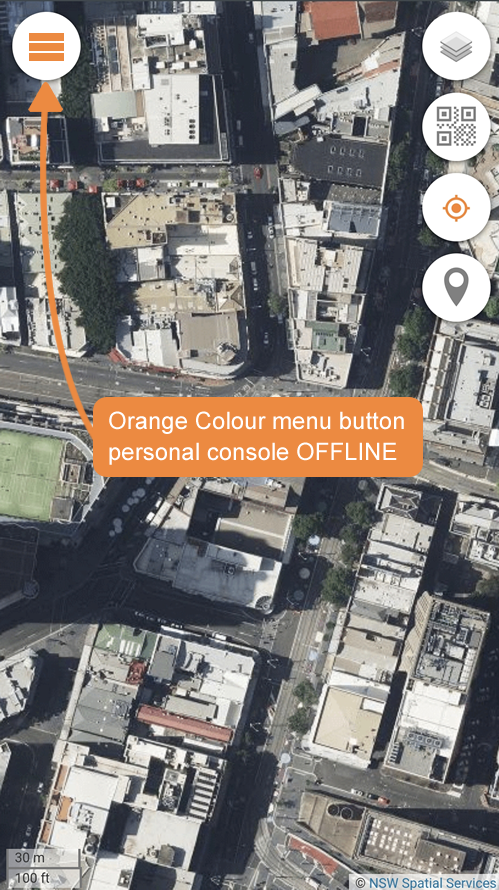
Some functions (e.g. data collection) are still possible even when OFFLINE. For example, you are out of radio range or your phone in airplane mode.
2. Alias Type
By default, all Alias Consoles starts with a Private Alias. You can confirm the Alias type loaded by the word "Private" shown in the top of the menu.
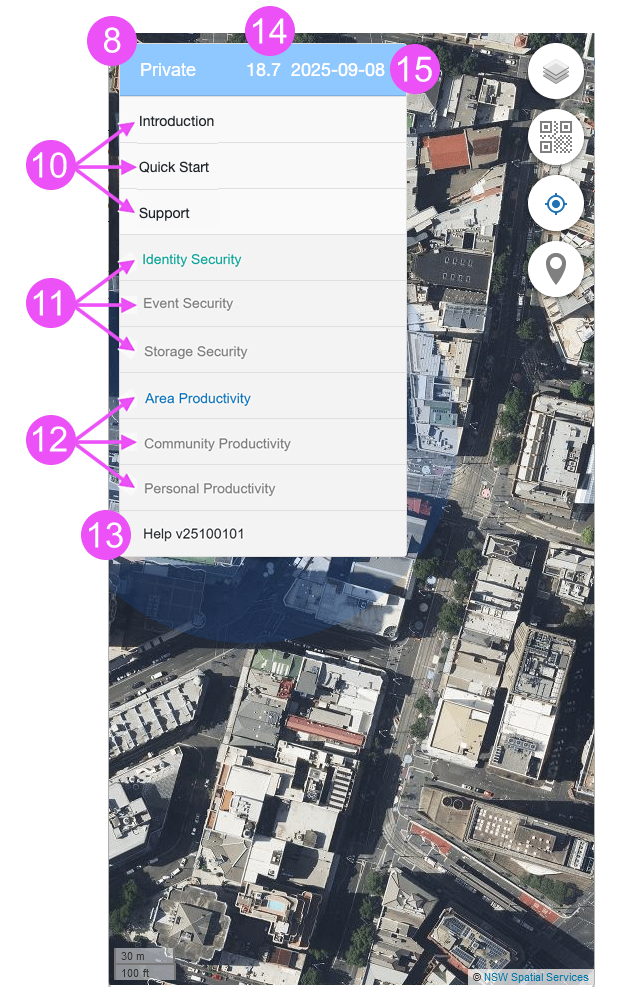
| Private Menu | |
|---|---|
| 8 - Alias Type | 10 - Outstanding Notifications |
| 11 - Security Teams | 12 - Productivity Teams |
| 13 - Help Menu | 14 - Map Zoom Level |
| 15 - Date Displayed |
Note in image of the Private Menu above, there is a 10 - Outstanding Notifications section shown, indicating that there are 3 outstanding notifications. Simply click on them to read them and they will not appear again.
3. Application Teams
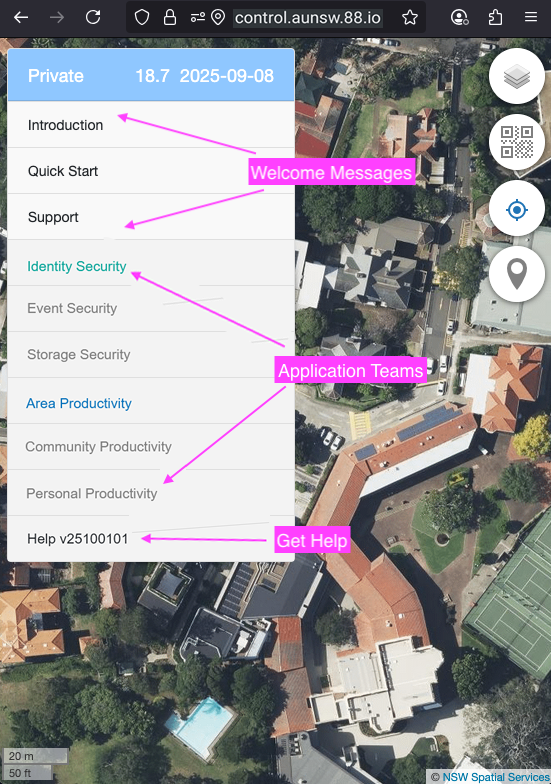
You will see all 6 installed application teams, initially only 2 of those applications have their teams activated (their colours are no longer grey).
- Green - security applications
- Blue - productivity applications
-
The buttons for reading the Welcomes Messages will NOT be displayed again after you have clicked on them.
-
There are currently 6 Application Teams buttons, click on the 6 Application Links below for details:
-
This is a Get Help button at the bottom of the menu showing you the version of your Alias Console. Click this Help Link for details.
2. Menu Permissions
Currently there are 4 types of aliases, some aliases have more menu permissions (they can perform more operations) than others.
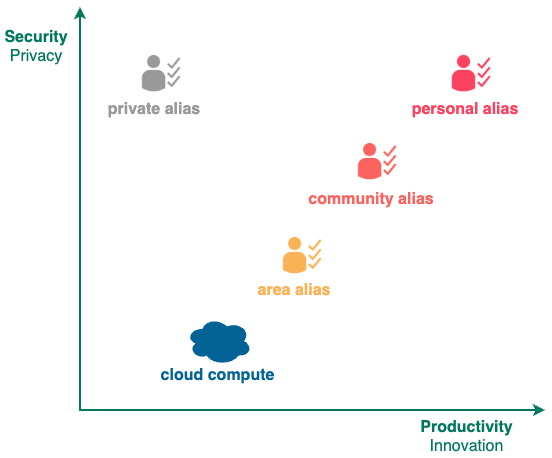
- Private Alias has the least permissions
- Area Alias has more permissions including all Private Alias permissions.
- Community Alias has even more permissions including all Area Alias permissions.
- Personal Alias has the most permissions including all Community Alias permissions.
3. Menu Symbols
Menu items listed below with the following symbols have the following permissions:
^ are for Personal Aliases
# are for Community Aliases
~ are for Area Aliases
Those menu items without the above symbols are available to ALL aliases.
Last updated on 19-Nov-2025.