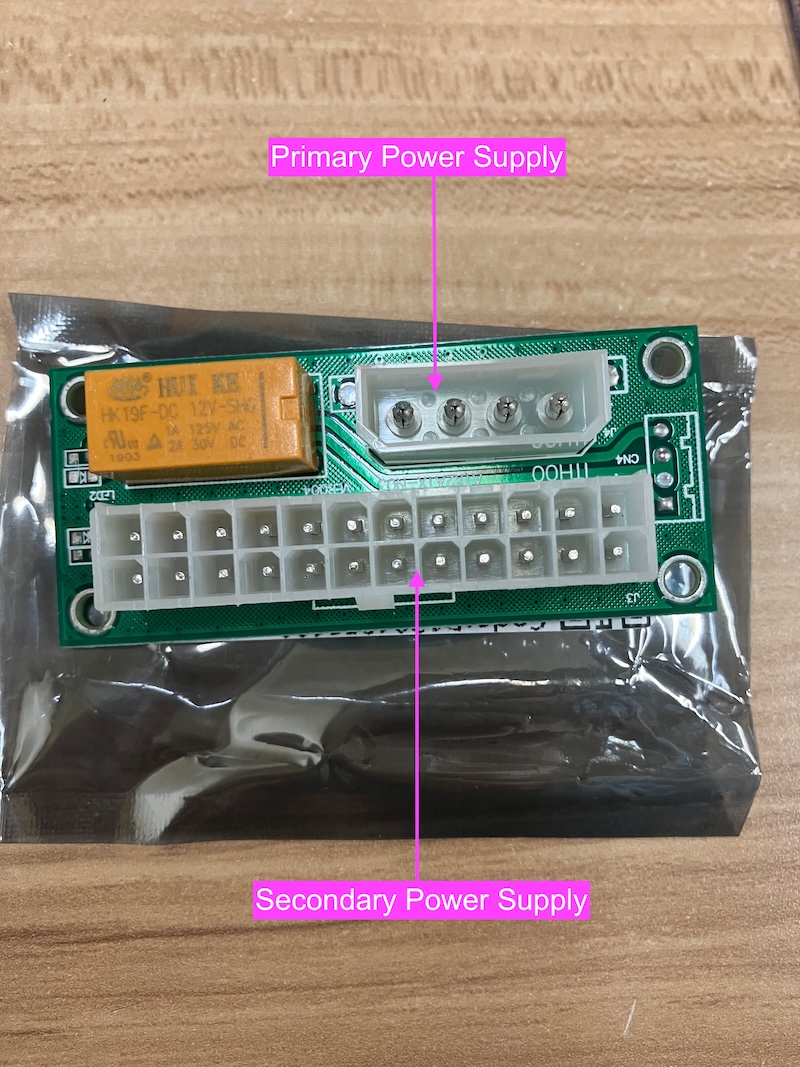
While new computers with 128GB RAM or more will work well, our value-add is repurposing old computers to work with the latest applications e.g artificial intelligence (AI).
Most Intel or AMD based computers produced since 2015 are suitable for REUSE as campus large computers.
2026 Reference Large Computer
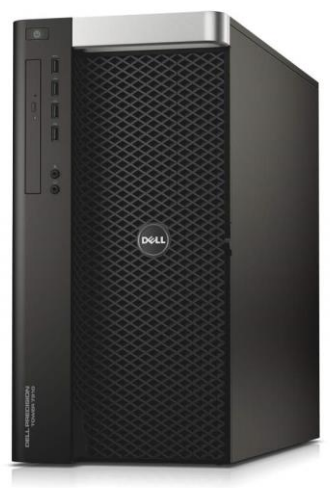
For the year 2026, our reference Campus Large Computer (CL26) is the Dell Precision Tower 7910.
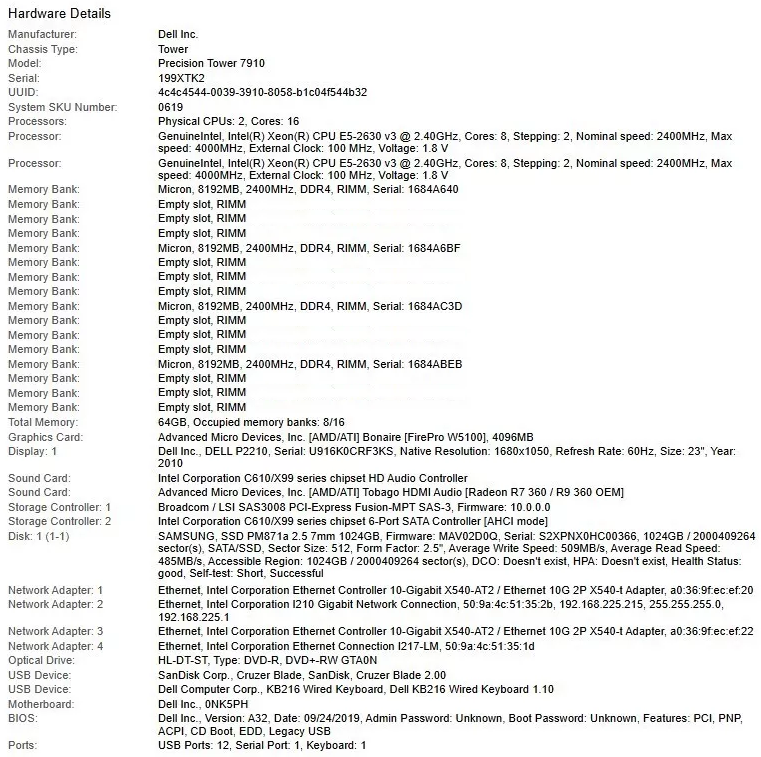
Refurbished units of the model with dual E5-2630v3 CPUs, 32GB ECC RAM and 1TB SSD with 3 months warranty are available on eBay for just AU$499 (including tax and shipping) in 2025.
There multiple models under the same "Dell Precision Tower 7910" name, the above price is for those with DUAL Xeons already installed.
These old machines are CHEAPER and FASTER than most new mini-PCs with the same 32GB RAM.
The only advantage those mini-PCs have over the Dells are bundled wifi and bluetooth, which we address by paying a few Australian dollars extra for an integrated wifi and bluetooth USB stick.
All mini-PCs have poor themo performance and do NOT have:
processing power of 16 cores (32 threads)
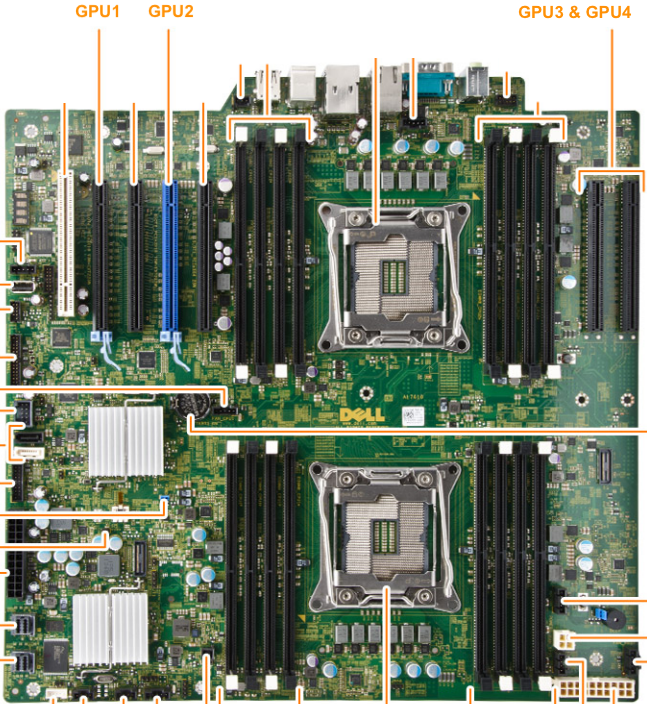
four PCIe 16x expansion slots (up to 4 GPUs for AI workloads)
two 1Gb ethernet ports plus dual 10Gb ethernet ports
4 RAM channels with expansion to 768GB (yes that's three quarters of a terabyte of RAM)
In February 2025, we purchased 5 refurbished units of this model online for AU$499 each (including tax and shipping from Canberra to Sydney). We are still seeing them available online in November 2025.
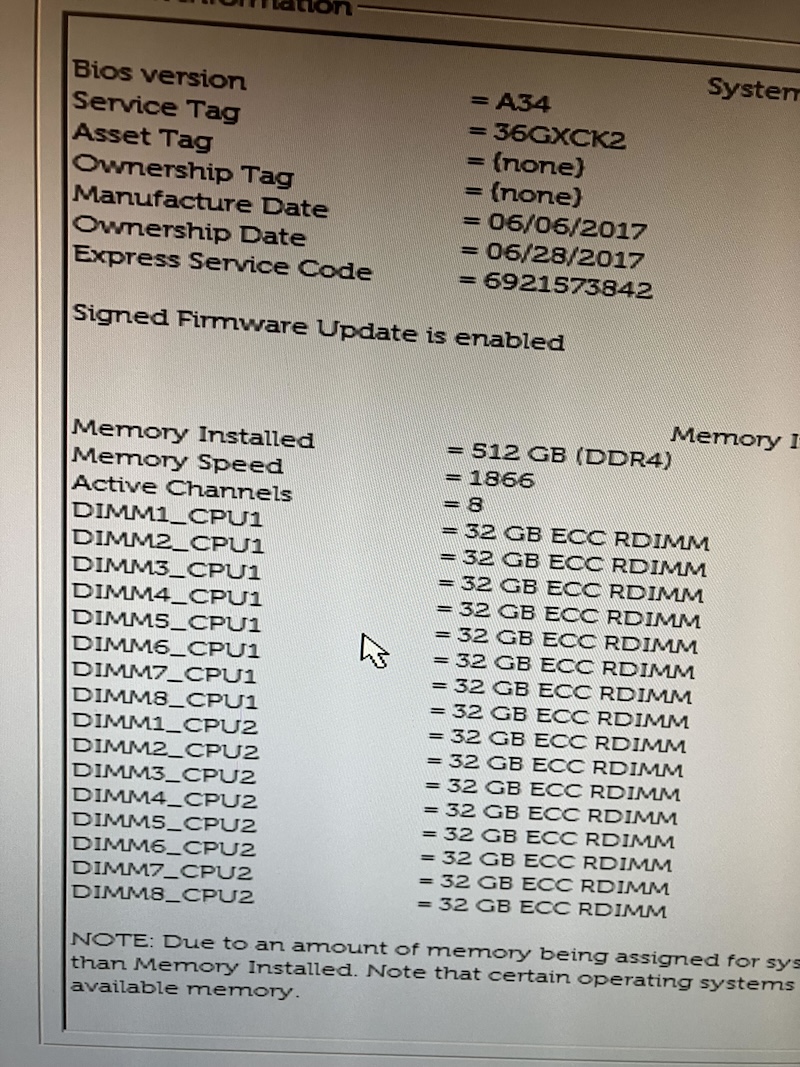
To bring them up to the Campus Larger Computer minimum spec of 128GB RAM, we simply purpose second-hand ECC ram online.
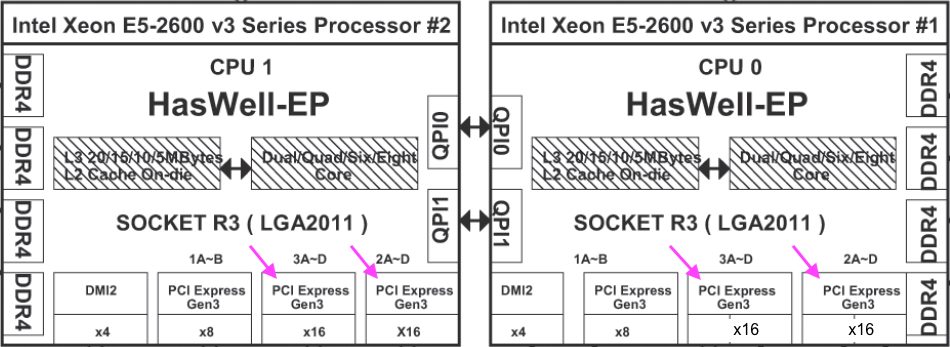
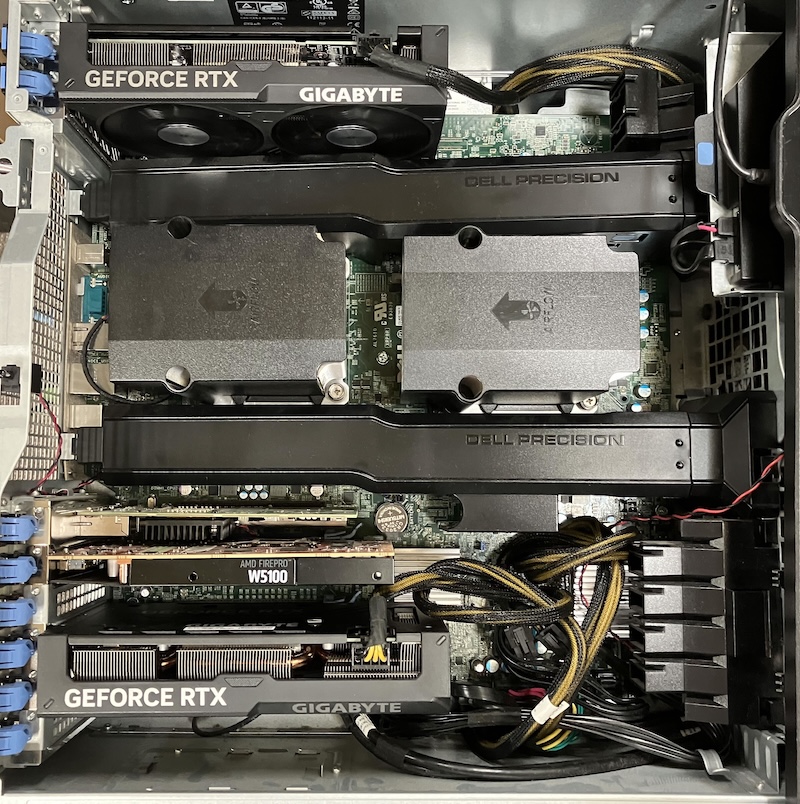
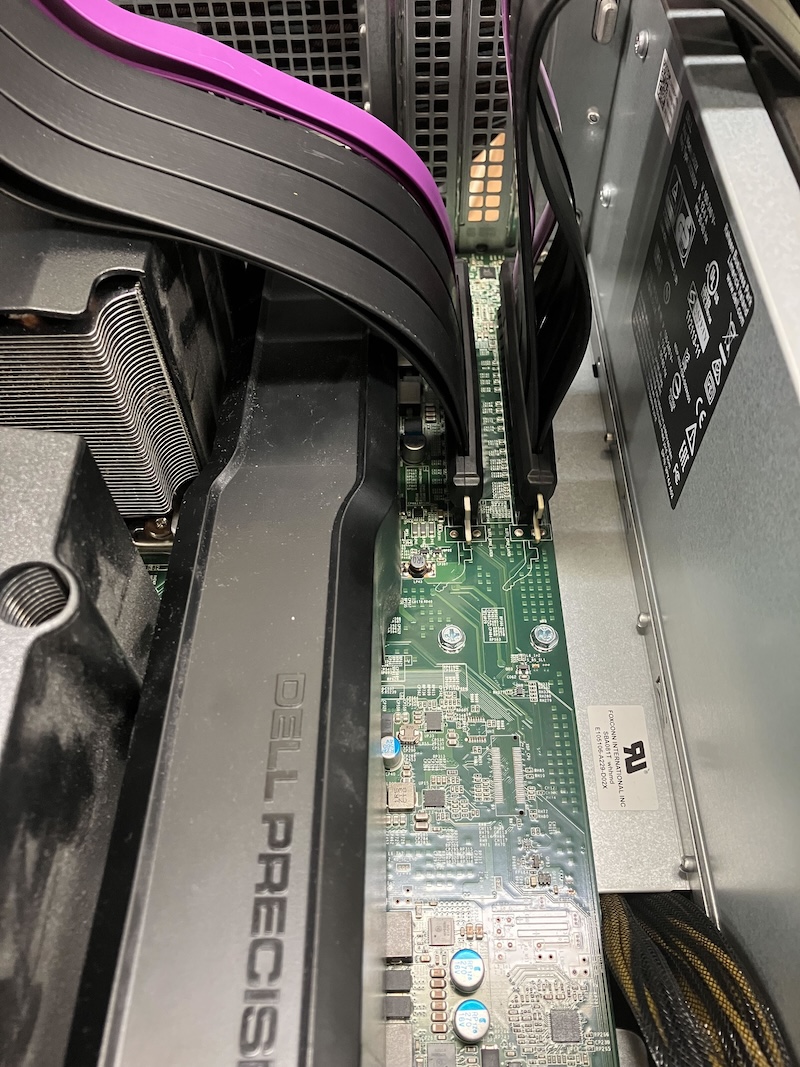
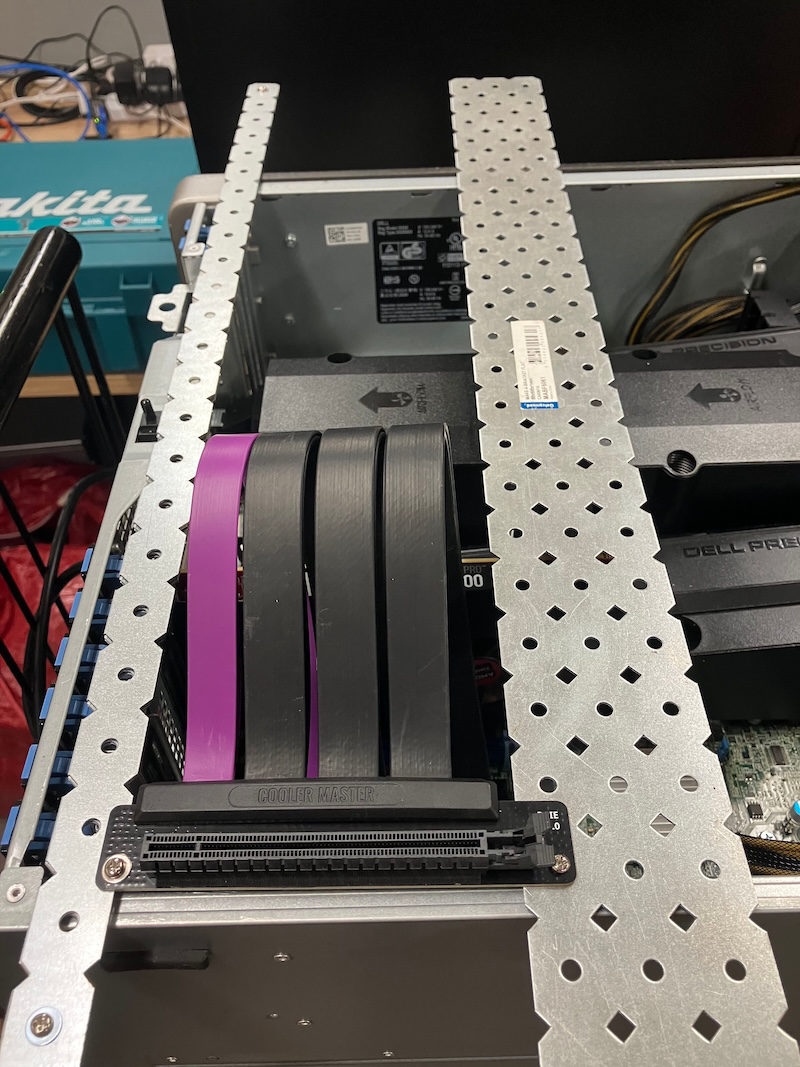
It is rare to find motherboards that expose ALL four PCIe x16 channels on the CPUs (shown above) to external GPUs via four onboard PCIe x16 slots (shown below).
The prices of GPUs with large amounts of VRAM are very expensive, with the above four PCIe x16 slots we can combine:
4 cheaper GPUs to create 1 virtual GPU with 4 times the VRAM
3 cheaper GPUs to create 1 virtual GPU with 3 times the VRAM
2 cheaper GPUs to create 1 virtual GPU with 2 times the VRAM
Mixing GPUs of different sizes is possible but not recommended.
We are focusing on 16GB GPUs as examples here due to their price/performance ratio as at early 2025, but using larger sizes are possible e.g. consumer grade 24GB GPUs can be used to create a 96GB virtual GPU at much lower cost than a single GPU that has 96GB VRAM.
Some models can be a pain to boot up in Linux, tricks to try:
In the BIOS, the SATA subsystem MUST be configured to use "ATA" not "AHCI"
Boot drive MUST have a DOS partition table, not a GPT partition table (which means it must be smaller than 2TB)
The operating system boot sector MUST be installed to the MBR, not to the root block.
In the BIOS, the boot order MUST be configured to legacy boot from your boot drive, and any leftover entries for EFI-boot removed
Boot drive MUST be connected to system's SATA port, not SAS. Note that to access the SATA power cable, you must open the back of the system. It is in the five-inch bay, but can be snaked under the motherboard to the front no problem. Alternatively if you want to install your drive(s) in the five-inch bay, you will need to also rig some fans to provide airflow over the drives.
Just configuring using tricks 1. and 2. above will normally be enough to make a disk boot already (source: Reddit - The heart of the internet).
The SAS3008 on one out of a batch of five machines is faulty (losing connection once in a while), swapping between SAS_0 and SAS_1 did not help, sp the the SSDs on that SAS3008 have been moved to the 2 available SATA ports.
The E5-2630v3 processors can only go up to maximum DDR4-1866 RAM speed, but it is almost impossible to find DDR4 RAM at such low speed, so DDR4-2133 or above are normally used.
Note all machines come with the more expensive ECC RAM for error correction ... yeah!
An interesting thing is this almost 10 year old computer with 512GB of RAM can run the latest AI models in the year 2025 with similar performance to a MUCH more powerful and recent machine.
A third dual-slot GPU can be installed by removing the dual 10Gb ethernet card and moving the AMD GPU to its slot. The third dual-slot GPU can then take up that perviously AMD GPU occupied slot.
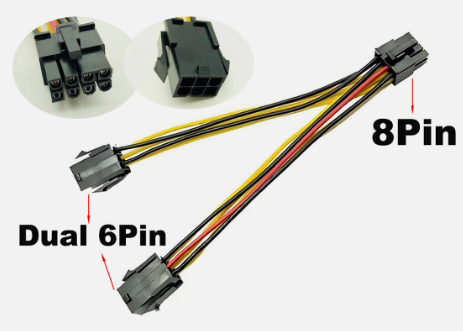
Y-Cable
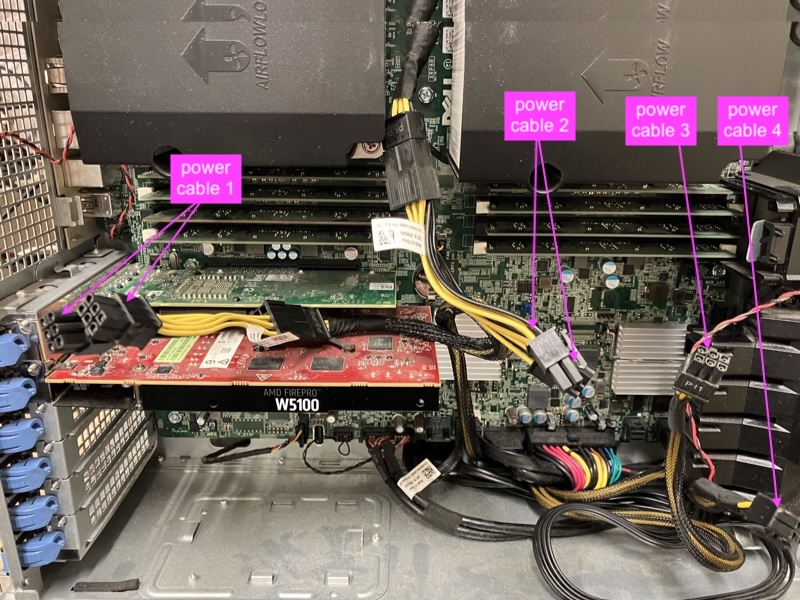
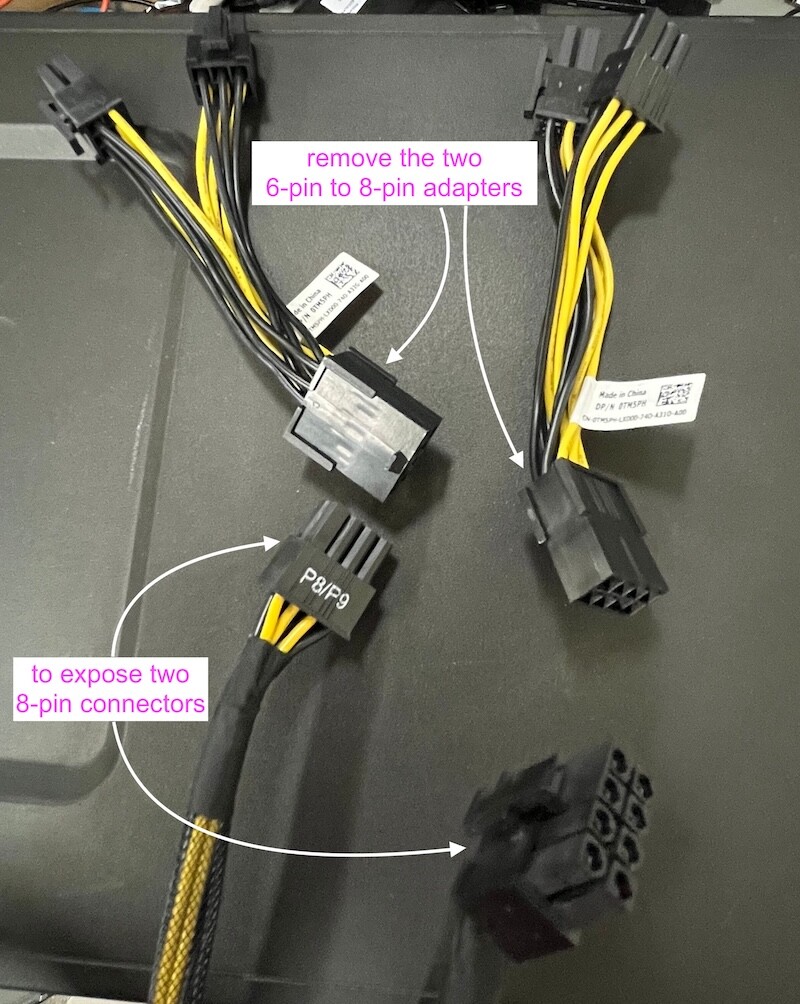
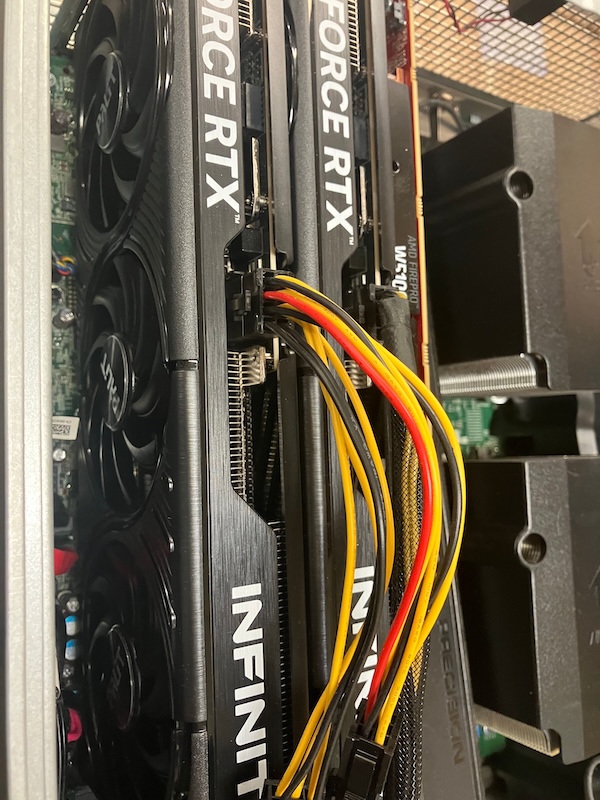
The machine has two 6-pin PCIe power cables which can be used to power the THRID GPU using a "Dual 6-pin Female to Single 8-pin Male PCIe Power Y-cable".
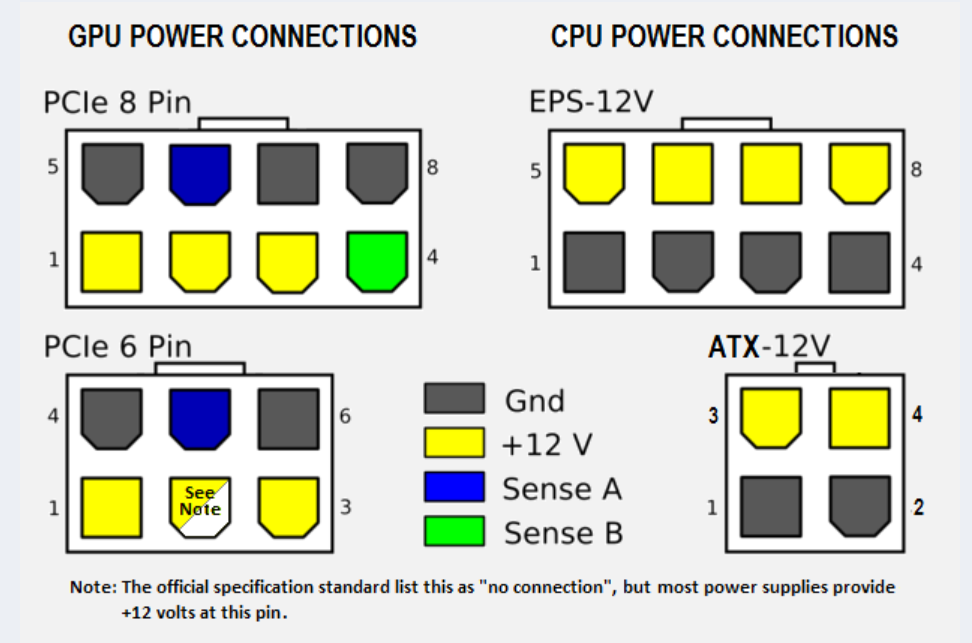
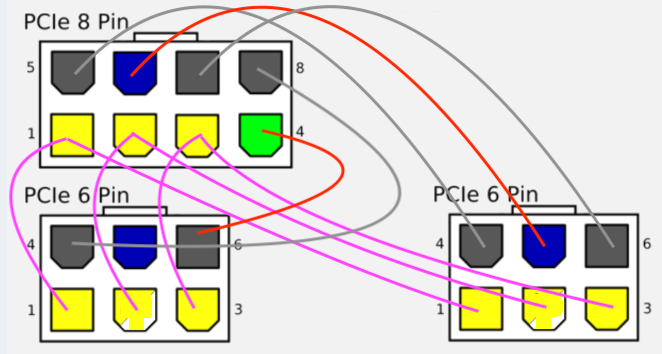
Image below shows how the power from two 6-pin 75W connectors are combined to deliver 150W to one 8-pin connector, "ground" is connected to the second sense pin (green) of the 8-pin connector.
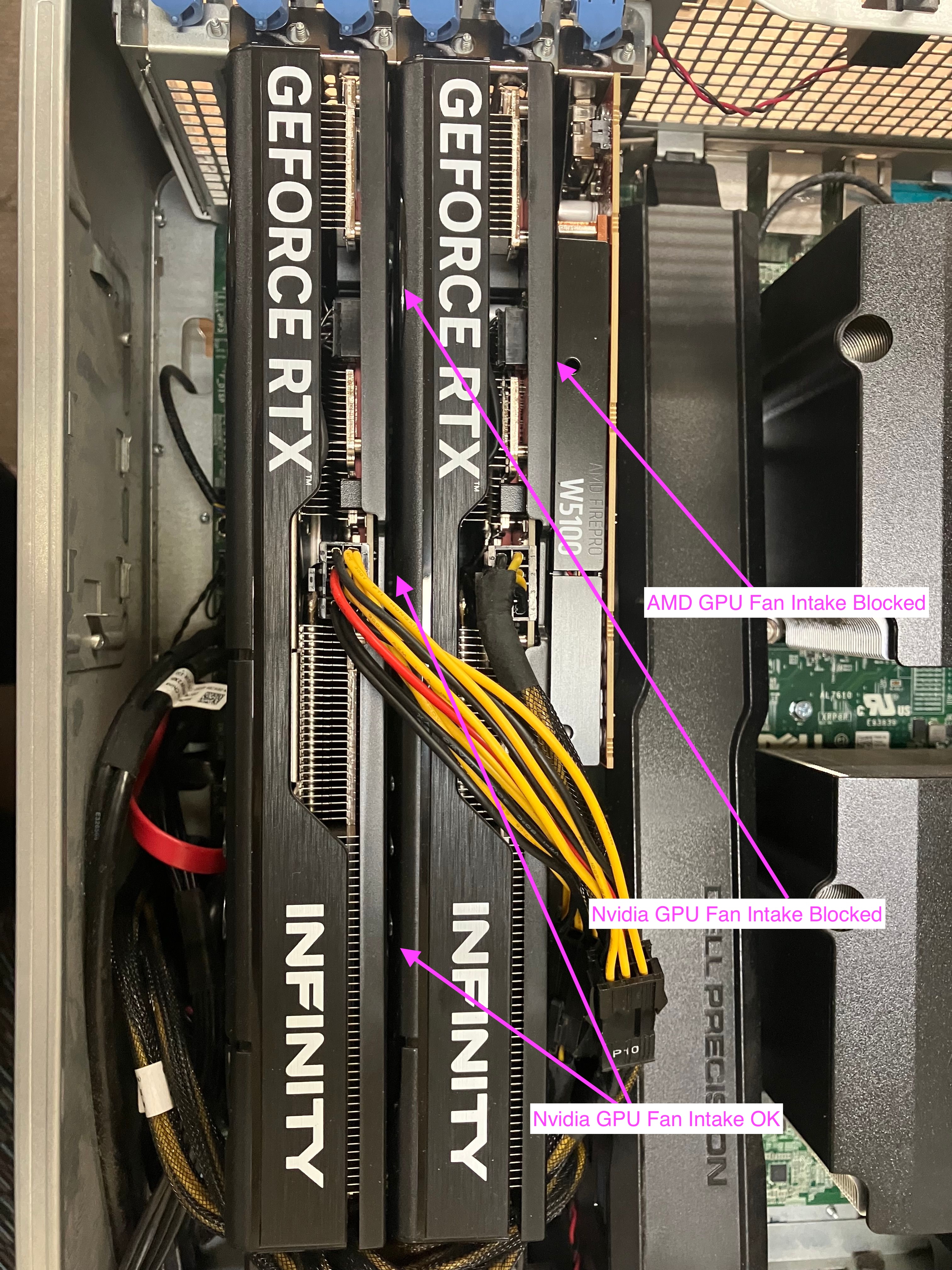
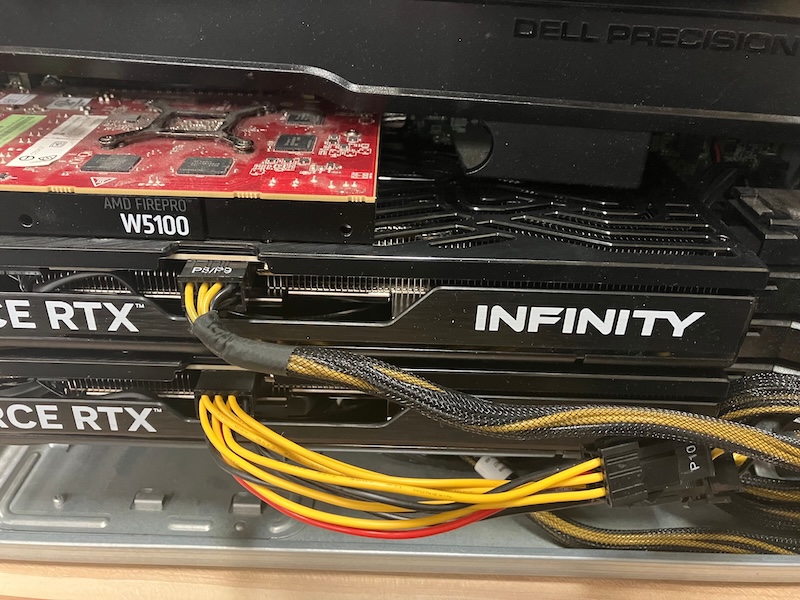
As shown below, having three Nvidia GPUs in one box means reduced the air-flow to the AMD GPU substantially, so the AMD W5100 GPU must NOT be running any heavy load to keep its temperature low. Our tests shows the blocked AMD at around 54C which is acceptable as it is only serving as a terminal.
As shown above, the Nvidia GPU on the RIGHT has the air intake of one of its fan fully blocked by the GPU on its LEFT, luckily the Nvidia GPU has 3 fans, so the fan in the middle is only half blocked and the remaining fan can fully use the air coming out the back of the other Nvidia GPU on the LEFT.
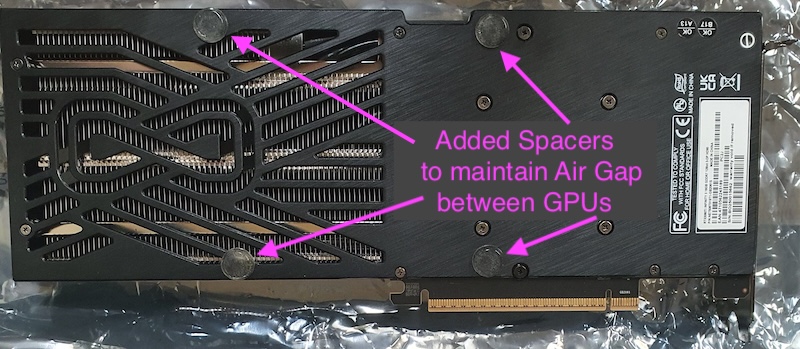
Plastic spacers are added to maintain a small air gap between the two Nvidia GPUs:
As can be seen above, setting up 4 GPUs in the same machine is a lot of work, but if you want to run large AI models needing between 64GB to 128GB VRAM in the same machine then we believe this is the MOST cost effective way to go.