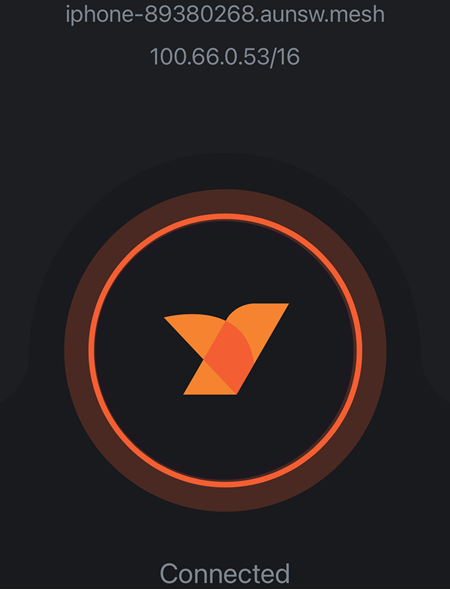
Overview
NetBird provides a unified, open-source platform for reliable and secure connectivity.
Requirement:
- An Area Alias or higher access level.
- The Netbird app
Installing Netbird on iOS:
- Open the Apple App Store on your iOS device.
- In the search bar, type “NetBird” and press the Search button.
- Tap
 button and wait for the installation to complete.
- Once installed, tap Open from the App Store or locate the NetBird app on your home screen to launch it.
Result
Every 30 minutes, all websites visited are automatically uploaded to https://hub.aunsw.88.io.
In the example below, the activity log shows two different users: 89811037 on Android and 89467120 on iOS.
You can view the sample hub entry here: https://hub.aunsw.88.io/@marker/115625223940158488
{ "subject" : "[#loc_directhubpost](https://hub.aunsw.88.io/tags/loc_directhubpost)",
"timestamp_utc" : "2025-11-28T03:35:01.648306+00:00",
"time_window_minutes" : "30",
"clients" : ["{"ip":"100.66.207.183",
"username":"89811037",
"total_queries":53,
"top_domains":[{"domain":"www.google.com",
"count":13},
{"domain":"device.quuvoo4ohcequuox.0.88.io",
"count":9},
{"domain":"w.i1-dev.contacttrace.com.au",
"count":4},
{"domain":"youtubei.googleapis.com",
"count":2},
{"domain":"t.i1-dev.contacttrace.com.au",
"count":2}]}","{"ip":"100.66.242.227",
"username":"89467120",
"total_queries":28,
"top_domains":[{"domain":"gateway.fe2.apple-dns.net",
"count":8},
{"domain":"d.i1-dev.contacttrace.com.au",
"count":4},
{"domain":"o.i1-dev.contacttrace.com.au",
"count":3},
{"domain":"proxy.safebrowsing.apple",
"count":2},
{"domain":"iphone-ld.apple.com",
"count":2}]}"],

"agtname" : "agent.quuvoo4ohcequuox.0.88.io",
"agtarea" : "[#a_0033880_151204](https://hub.aunsw.88.io/tags/a_0033880_151204)",
"agttime" : "[#t_1764300600](https://hub.aunsw.88.io/tags/t_1764300600)",
"agttx" : "[#tx_96ewhjqvafbv5utp2ydn2x3pqv0ekbgkqcmjd03n](https://hub.aunsw.88.io/tags/tx_96ewhjqvafbv5utp2ydn2x3pqv0ekbgkqcmjd03n)",
"agtsign" : "Gq7ru8BoCa_qEkBbRy2WopWgQag77RP3GenNc58dUXHCNYPnKq0uHj2JnvDFmmPVol1DvVwKWrFvg9jKDsGUCg"
}
 in the centre of the screen.