Call Forward on Busy
Requirement: Monal app
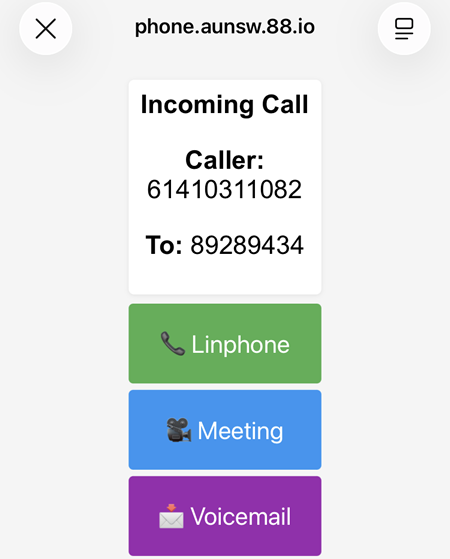
Incoming calls to the mobile phone number can be answered using the following methods:
- Linphone (ensure the username used is 89xxxx@aunsw.88.io)
Requirement: Linphone app - Browser Phone
Requirement: Browser Phone app - Meeting (conference)
Requirement: Web based Conference app - Voicemail
Requirement: Mailbox
There are three ways to set up Call Forward on Busy:
-
Use the Universal Dialer Code (the most reliable way), i.e:
**67*NUMBER#, e.g:**67*+61499331111#where the forwarded number is +61499331111. To cancel the Call Forward, dial##67#. -
If the Universal Dialer Code is not possible, go to the carrier's portal and enable the Call Forward on Busy.
Note:
- Ensure the Missed Call Service is disabled from the carrier.
- With certain carriers, the voicemail must be removed.
- On certain iOS versions, ensure Live Voicemail is disabled and Screen Unknown Callers is set to Never.
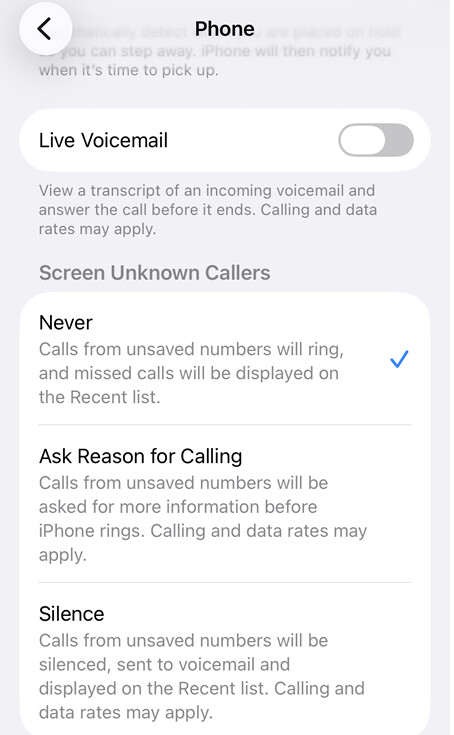
If Call Forward on Busy is enabled and configured to forward calls to +61499331111, any incoming call that is rejected or declined will be forwarded to that number. The recipient of the forwarded call will then have the available options to answer it.
To decline the incoming call while the screen is locked, press the Power button twice quickly.
When there is an an incoming call, click on the incoming call notification from the Monal app.
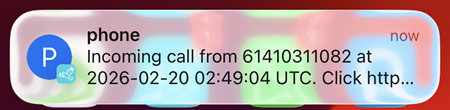
Select the website link displayed in the pop-up window notification.
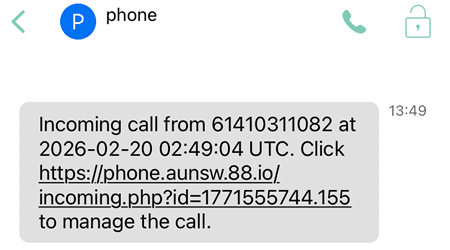
When the website link is clicked, the following pop-up window is displayed.