Monal
Monal is an XMPP instant messaging client for iOS which strives to ensure usability within the XMPP network.
Notable features:
- Open Source.
- No Ads! Strong focus on privacy. Does not phone home and does not have software "metrics".
- Does not read any personal information.
- With a direct connection to the server, your password and all other info are never sent to a third-party.
- OMEMO encrypted chat.
- Will work with corporate XMPP servers that require VPN.
- Multi user chat (MUC) support for group chats.
- Audio/Video calls.
Installing the Monal App on iOS
- Open the App Store on your phone and search for Monal in the search bar.
- Tap Get and wait for the installation to complete.
- Once installed, tap Open from the App Store or locate the app on your home screen.
- Launch the application to begin the setup process.
- On the first launch, Monal will request permission to access the notifications.
- Grant this permission to fully enjoy all the app’s features.
Setup
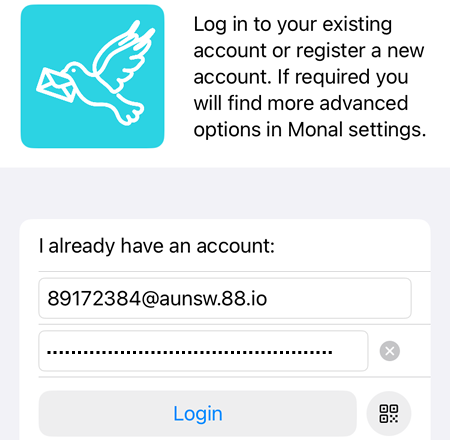
Username
The User located at Area AI Apps → Teams → Team A → Application, e.g.: 89172384@aunsw.88.io
Password
Located at Area AI Apps → Teams → Team A → Application, e.g: vvuyw5v0yrag42bomvcrm3otzl52i5c9
A 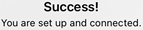 pop-up window will be displayed if the registration is successful.
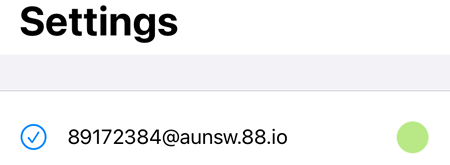
On the Settings page, there will be a green dot if the account is enabled (active)
Usage
Adding users
Click on  →
→  → Enter the Contact ID, e.g:
89872028@88.io →  .
.
The added user will get the notification and can add the other user back. In the example below, the notification is received by a Conversations user who is added by a Monal user.
Multiple Accounts
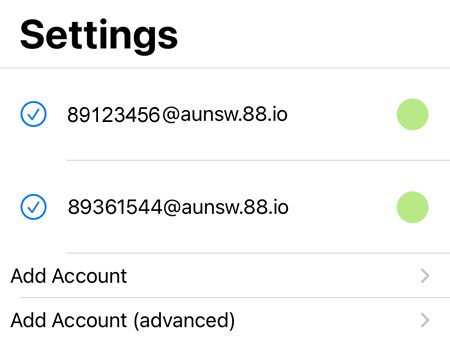
Multiple accounts can be set up and managed within the Monal app.
In the example below, two accounts have been added, each using a different domain name.
Browser Phone
Monal has its own internal browser and this needs to be configured separately in order to be able to answer incoming calls using Monal's internal browser.
To receive incoming calls using Safari browser:
- Tap the gear icon in the upper-left to open Settings
- Select General Settings -> User Interface -> disable "Open URLs inline in Safari".
All incoming call links will no longer use Monal built-in browser after it has been disabled.