- Step 1 - create global fact assets from any data instantly ((e.g. protecting and automating phone numbers, email addresses, web sites etc.)
- Step 2 - consume fact assets to generate trust scores instantly
Preloaded Teams
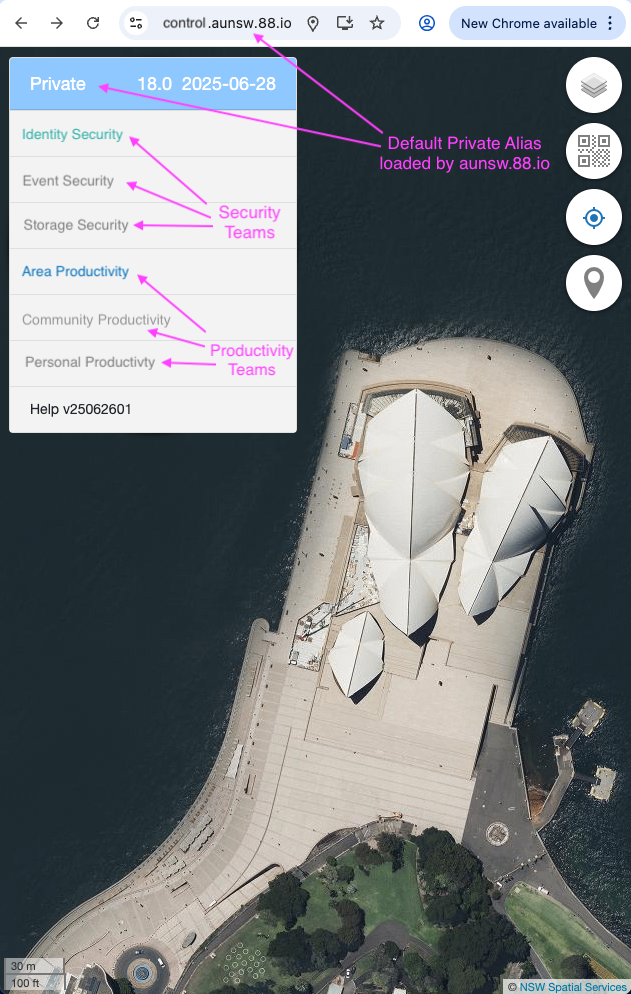
The Privacy Control software installed on your phone has 6 sets of teams preloaded but only 2 sets of them are initially activated.
Privacy Control software has a menu on the upper left hand corner, it always displays a map of your current location as background.
As can be see in the image below (the Security Teams are activated Green and Productivity Teams are activated Blue while Teams that have not been activiaied yet are in Grey).
Your First Alias
The Quick Start process initially creates an Area Alias in your Alias Console.
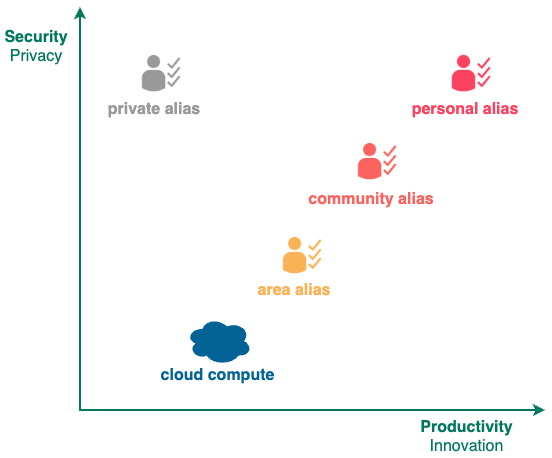
Area Alias has less privacy and features than the Community and Personal Aliases but still has more privacy and features than what you get with Cloud Compute.
Dual Accounts
Initially, 2 accounts operated by 2 different teams are activated under your Area Alias for mutual backup and oversight of each other.

-
Phone Account
Based on your current phone number, initially operated by 88.io team providing basic chat, email, phone and web services.
Click Here for details on your Phone Account. -
Owner Account
Based on your owner number, initially operated by aunsw.88.io team providing advanced chat, email, phone, web, logon services.
Click Here for details on your Owner Account.
Both accounts are portable, so if you don't like the initial teams picked by the Quick Start program, you can transfer your phone or owner accounts out to other teams.
Adding Aliases
You can click on the upper-left menu of the console to see that 6 sets of teams have been preloaded by aunsw.88.io into your Alias Console, but only 2 sets of teams (Privacy Teams and Area Teams) have been activated initially.
You can add more privacy and features into your Alias Console by creating more aliases. Even with the Area Alias, you can already experience compute like never before ...
For the first time, you can smile when you receive spam emails and calls ...
Team Compute is made up of Privacy Control software and Trust Asset hardware.
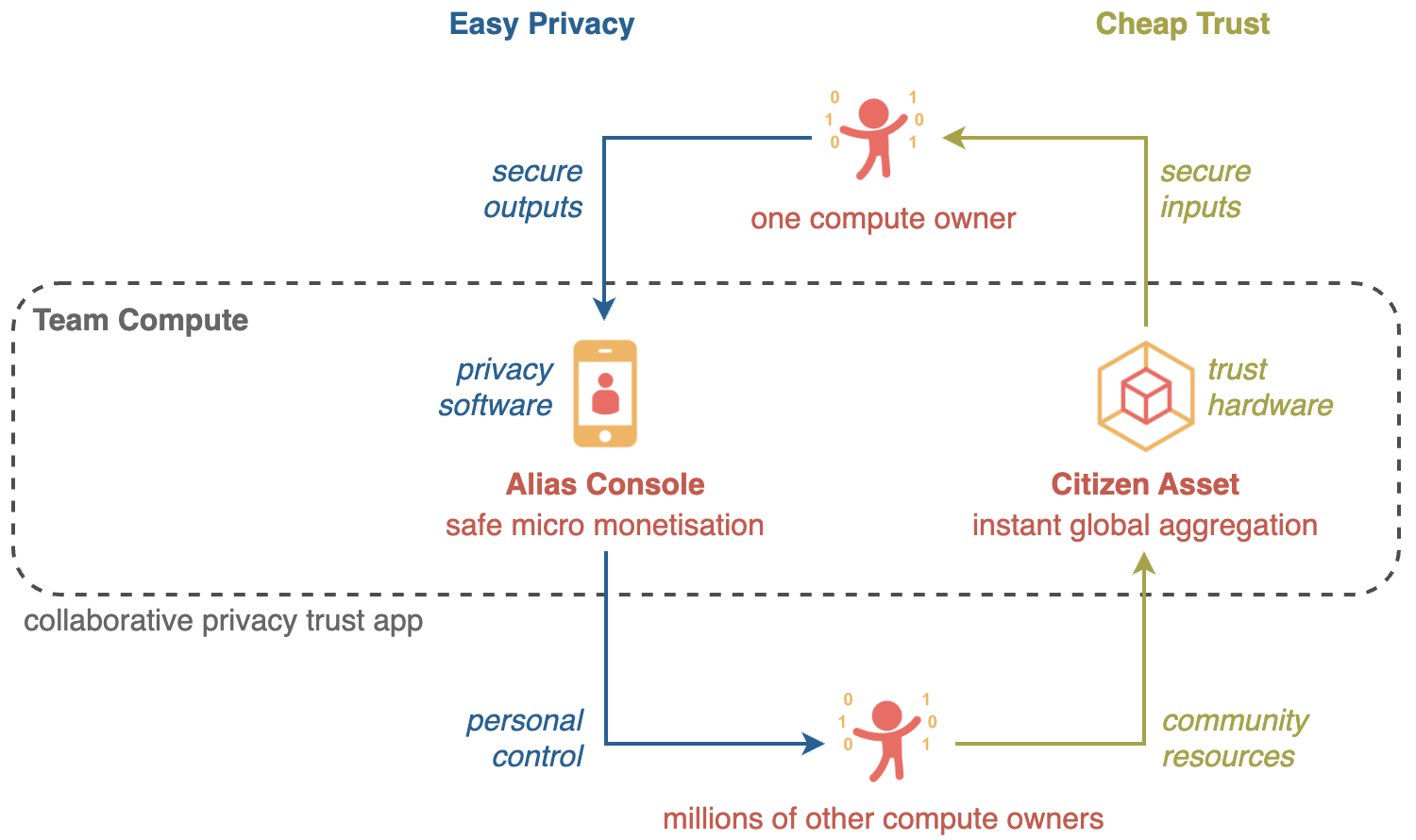
After performing the 2-steps above, the Privacy Control software is installed on your phone, protecting the privacy of your OUTPUTS with different aliases in different situations.
Initially your INPUTS will be protected by Trust Asset hardware owned by others, but as you get more familiar with Team Compute, you can start deploying your own Trust Assets.