Infinite Disk SMB can be accessed directly by Apple macOS:
1. Browse
2. Share
3. Time Machine
4. Remote SMB
5. Tech Notes
Infinite Disk has ALREADY been set up as a SMB server to support file access from Apple macOS, there is NOTHING to do, below are just some background information for the techs on the server side.
With our support for Web Services for Devices, SMB 1.0 support is not normally required anymore, but just in case:
4. Tech Notes
Infinite Disk has ALREADY been set up as a SMB server to support file access from Microsoft Windows, there is NOTHING to do, below are just some background information for the techs on the server side.
The standard Google Android Files App has NO native support for SMB and its own SMB app has been abandoned. The Samsung My Files app DOES have support for SMB.
Infinite Disk SMB can be accessed by most third-party Android Apps with SMB support. However most of them are closed sourced, so should not be used.
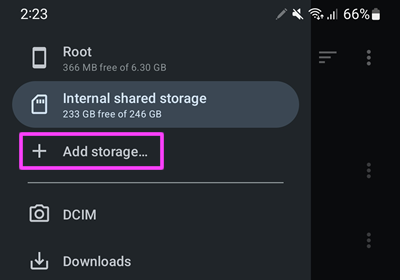
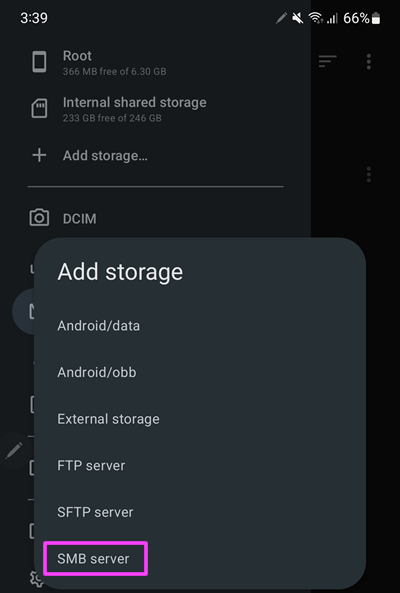
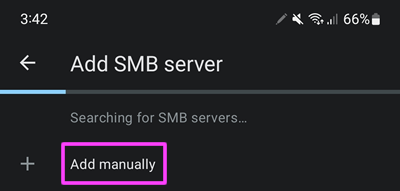
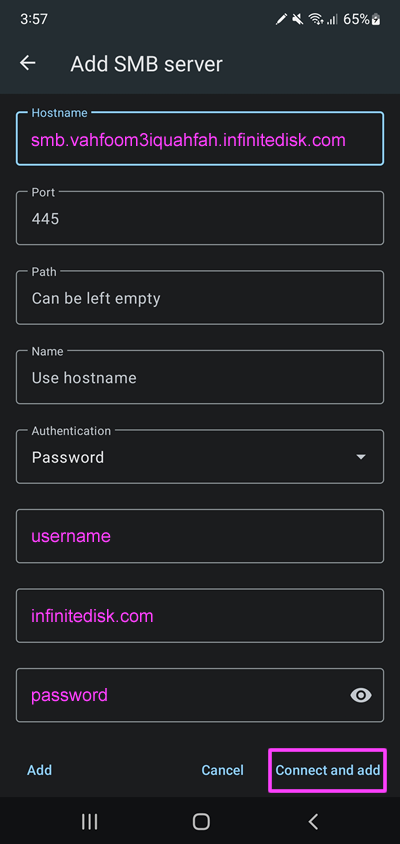
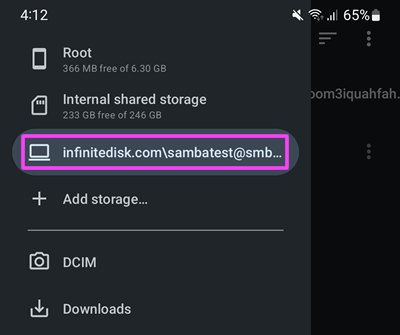
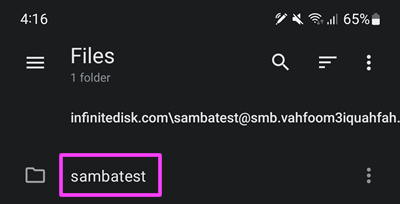
The recommended Open Sourced SMB app is Material Files:
Infinite Disk has ALREADY been set up as a SMB server to support file access from Linux, there is NOTHING to do, below are just some background information on the server side for the techs.
IBM z/OS does not have SMB client and its SMB server is not going to last for long, so you should access Infinite Disk using NFS instead of SMB.
4. Game Consoles, Smart TVs etc.
There are numerous hacks and programs to get SMB clients into Playstations, Nintendo, Xboxes etc. We are not supporting them ourselves, but it should be a lot of fun, Good Luck!
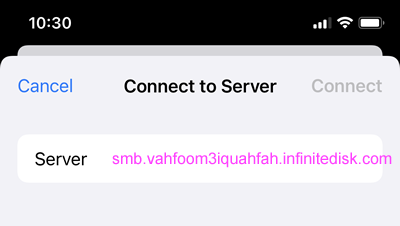
 and tap
  at the top of the Browse screen. If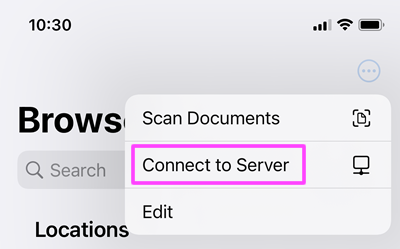
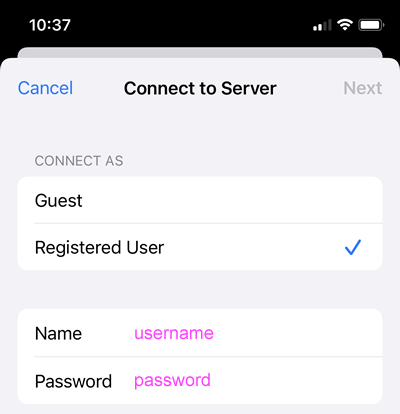
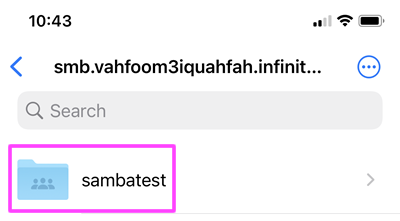
 menu, or press the Windows logo key
 and Map network drive.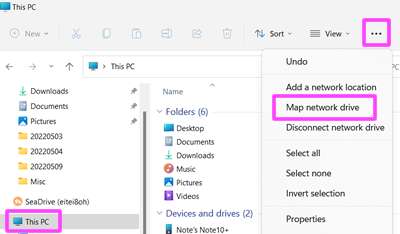
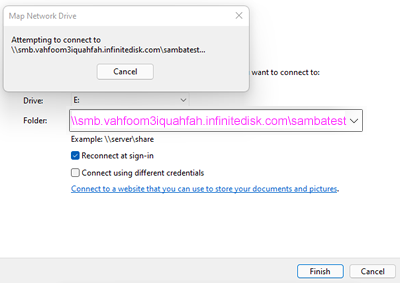
 at the top of the screen and select Add Storage.